Trustpilot review scraper
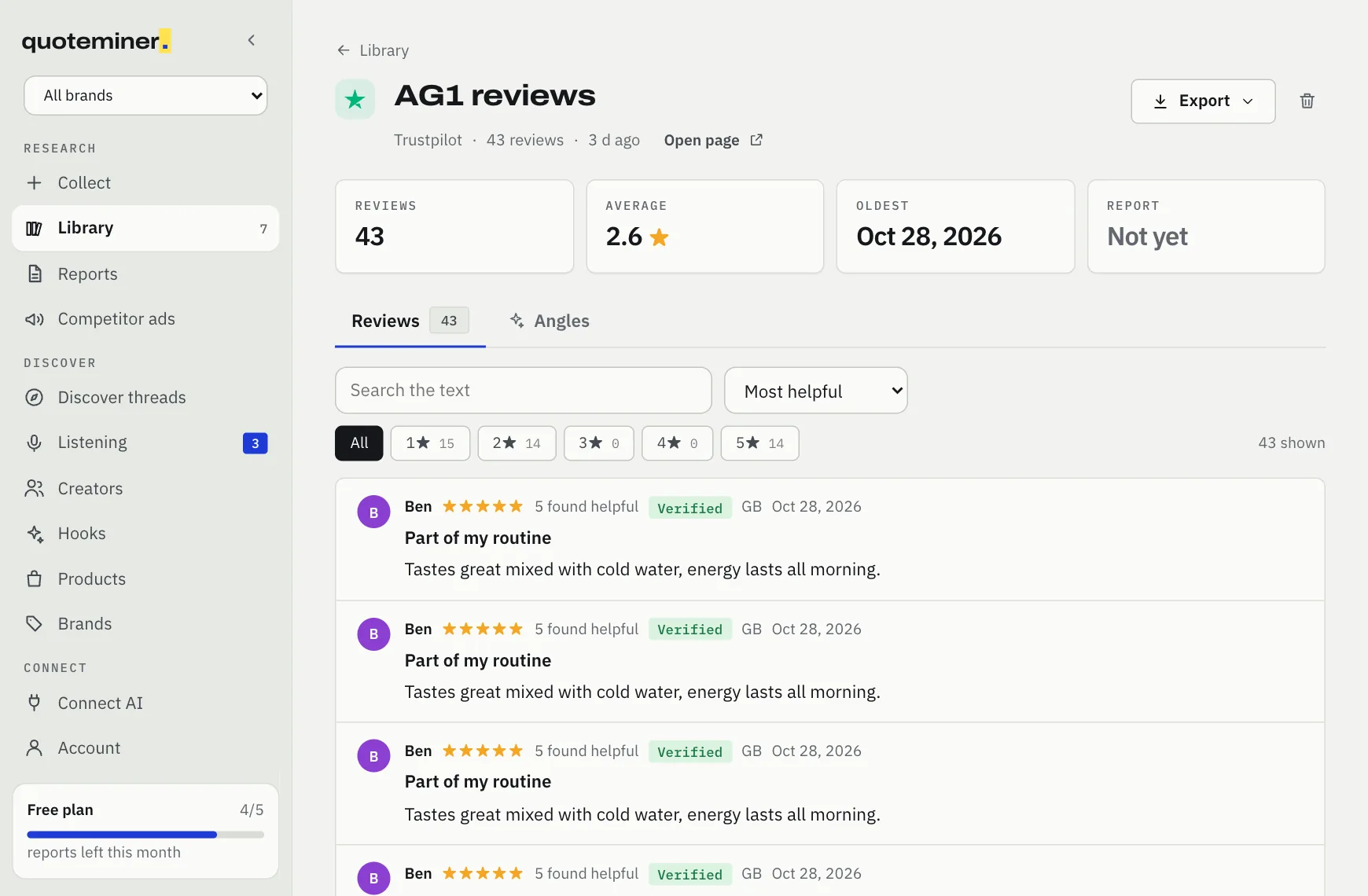
Paste a Trustpilot company page and Comment Downloader collects up to 1,000 of its reviews, with stars, headline, date, country and the verified label, then exports them to CSV, JSON or Markdown. No Trustpilot login needed.
Add to Chrome, freeCollecting and CSV export are free. 5 AI reports a month on the free plan.
What it exports
- Up to 1,000 reviews per run, read star rating by star rating, starting with 1 star
- Stars, headline, full text, date, reviewer name and country on every row
- The verified label and the number of people who found the review useful
- Any trustpilot.com/review/ company page
Honest limits
- Works signed out. Signed out, Trustpilot shows 10 pages of 20 reviews for each star filter, so a run reads at most 200 reviews per star rating.
- Pages are read 2 to 4 seconds apart. If Trustpilot refuses a request, the run stops and keeps what it already read.
- Chrome asks for permission once, the first time you collect from trustpilot.com.
- Company replies to reviews are not collected.
How it works
- Open the company's page on Trustpilot and copy its link (trustpilot.com/review/company.com).
- Paste it into Comment Downloader and press Collect. It reads the reviews in a background tab.
- Filter by stars, search the text, export to CSV or press Find angles.
CSV columns
Also available as JSON, Markdown, or a compact "Copy for AI" block to paste into ChatGPT or Claude.
| Column | What it holds |
|---|---|
author | Reviewer name |
posted | Review date, ISO format |
rating | Stars, 1 to 5 |
title | Review headline |
review | The full review text |
helpful_votes | How many found it helpful |
verified | yes for a verified purchase |
country | Reviewer country when shown |
link | Link back to the review |
More than an export: the angle report
Exporters stop at the spreadsheet. Comment Downloader reads the collection for you and writes a report where every line cites the comments that prove it.
Pains, desires, objections, ad angles, hooks, audience profiles and short UGC-style ad scripts, in your market's language. Example: "the straps dig into my armpits" becomes the objection behind an ad angle, with the quotes linked.
Or ask Claude or ChatGPT
Add Comment Downloader as a connector and ask in plain words, for example "collect the comments on this page and give me 5 ad angles". Your assistant asks your Comment Downloader extension to collect, in your own Chrome.
https://app.commentdownloader.com/mcpFree, with Google sign-in. Connect steps for each assistant
Questions
Do I need a Trustpilot account?
No. Comment Downloader reads the reviews Trustpilot shows to any visitor.
How many Trustpilot reviews can I export?
Up to 1,000 per run: up to 200 for each star rating, because that is what Trustpilot shows a signed-out visitor.
Can I open the export in Excel?
Yes. The CSV is UTF-8 with a byte order mark, so Excel shows every language correctly.
Does it get the company's replies?
No. It collects the reviews themselves, with stars, headline, date, country and the verified label.
Last updated 5 November 2026. Questions: support@commentdownloader.com